
AI-Ready Bug Reports
Stop writing detailed bug reports manually.
Let Tossue collect the context AI needs to fix issues automatically.
The Problem
AI can solve most engineering problems today. But there's a bottleneck: low-quality bug reports.
Nobody has time to write detailed reproduction steps, collect console logs, capture network errors, and note the exact component state. So issues get filed with minimal context, and AI tools struggle to help.
The Solution
Tossue automatically captures everything AI needs:
- Console errors and warnings
- Network request failures
- React / Vue / Nuxt / Next.js component hierarchy
- Page navigation and events timeline
- Screenshots and screen recordings
- Browser and viewport information
One click creates a GitHub issue with full context. Assign to GitHub Copilot and let AI handle the rest.
Features
Component Detection
Automatically detects React, Vue, Nuxt, and Next.js components in the page.
Error Capture
Captures console logs, errors, and failed network requests without manual copying.
Visual Evidence
Take screenshots or record your screen to show exactly what happened.
Timeline View
See page navigations, events, and errors in chronological order.
GitHub Integration
Create issues directly to your repository with one click.
Customizable
Configure what to capture and how to format issues for your workflow.
Choose Your Workflow
Start simple, level up as needed. Pick the automation level that fits you.
Copy Mode
Just want the data? Copy issue content and attachments to clipboard. Paste wherever you need.
Quick StartOAuth Mode
Connect GitHub account, select repo, create issues directly. Images need manual upload.
Direct IntegrationHelper Mode
Full automation with desktop app. Uses gh CLI with auto-attached images and recordings.
Custom Endpoint
Building your own workflow? Send captured data to any API endpoint. Create custom integrations for your team.
See It in Action
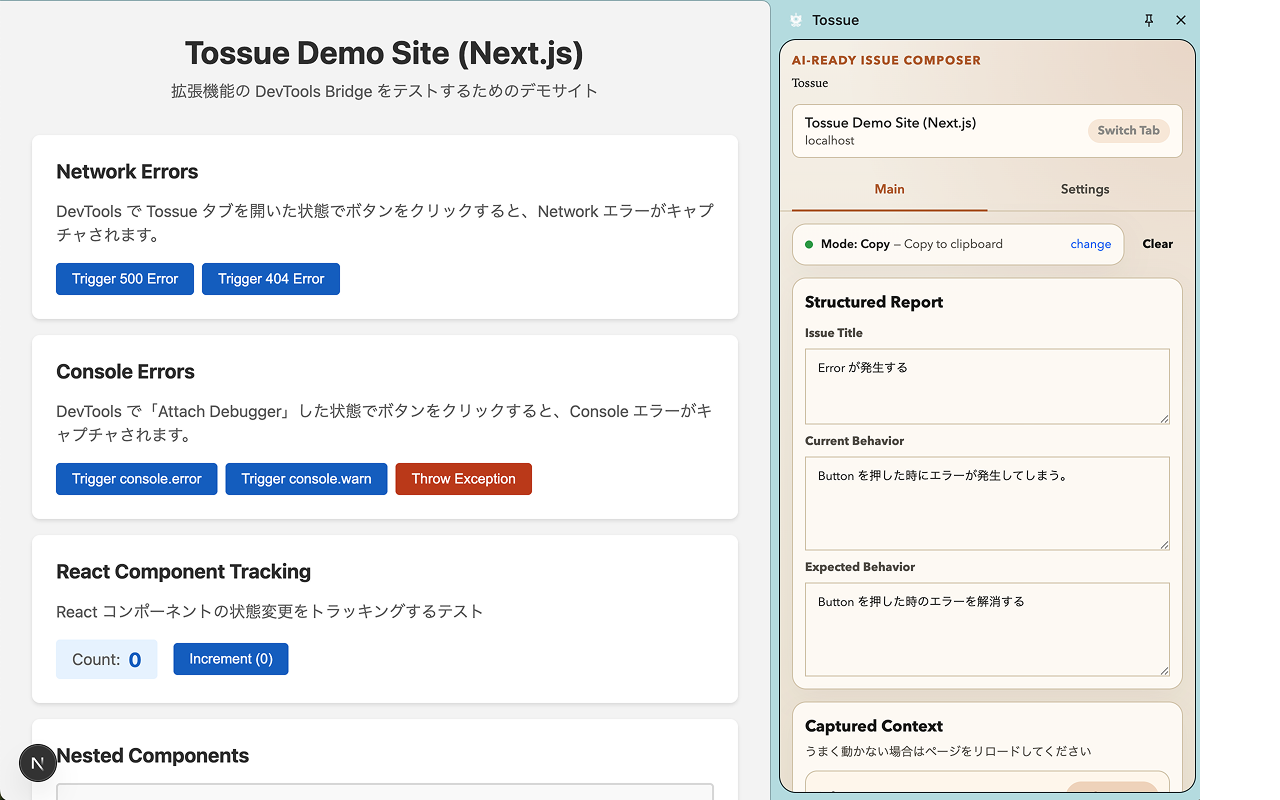
Sidepanel with captured context
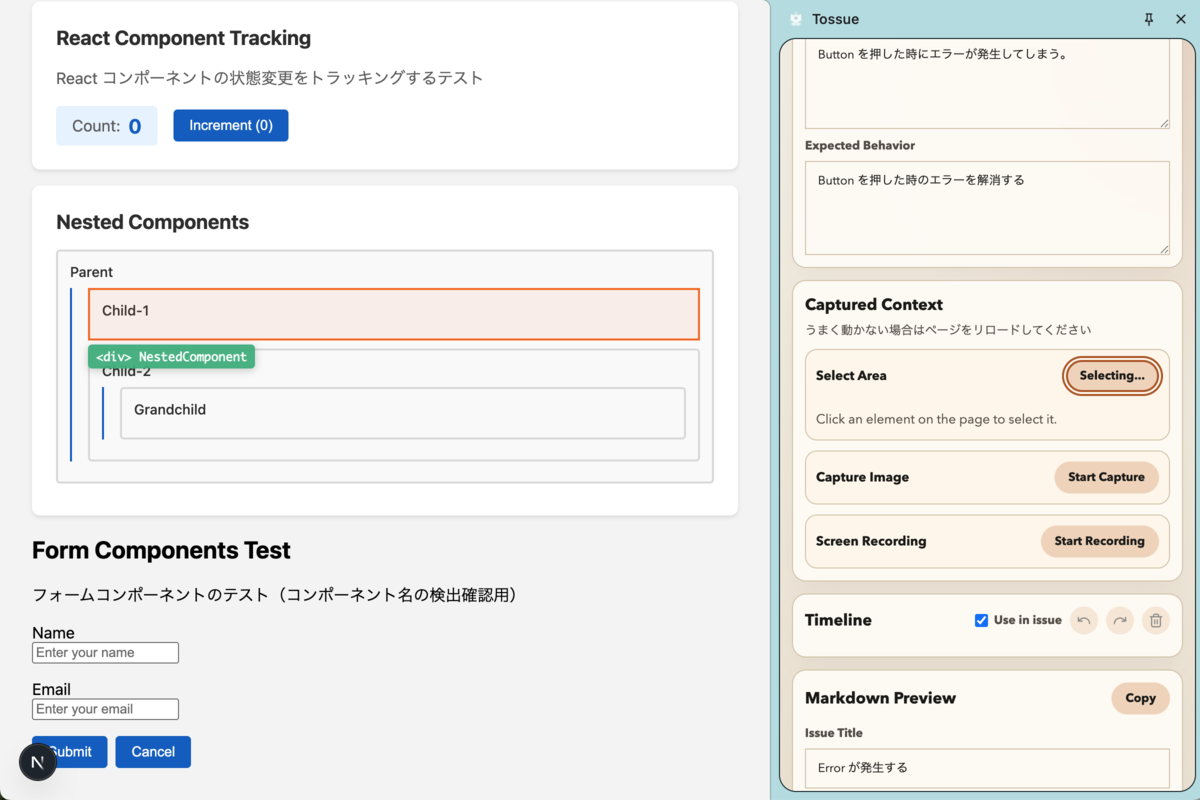
Select area for screenshot
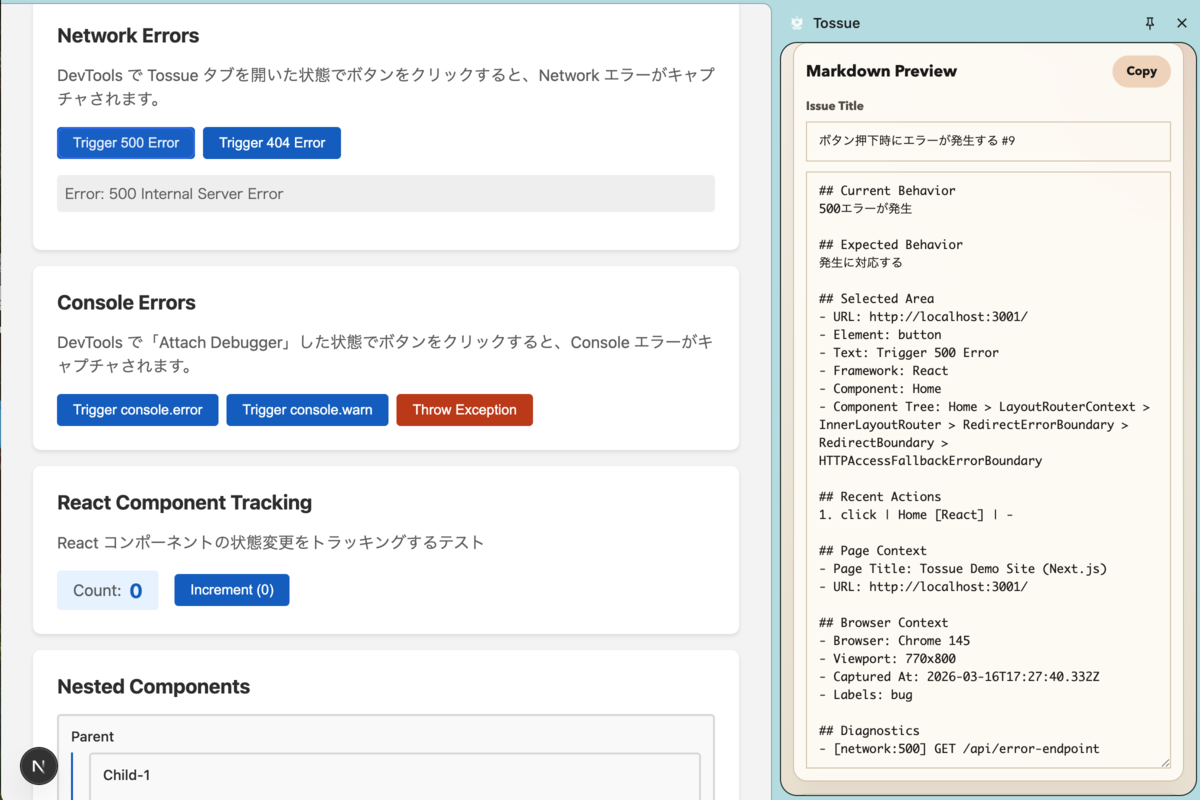
Preview before creating issue
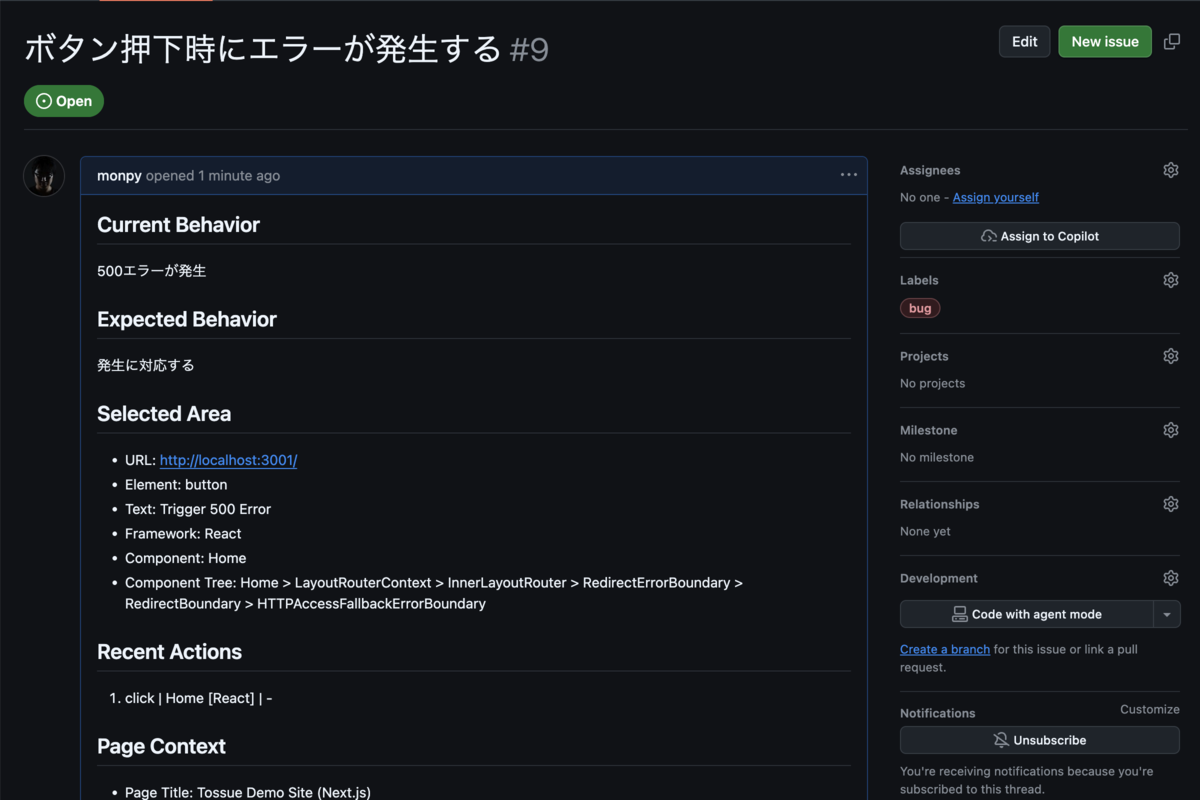
Issue created on GitHub
Download
Helper App
Optional desktop app for advanced features like screen recording.
Download Latest ReleaseNote: The app is not code-signed. You may see security warnings on macOS/Windows.
Feedback
Found a bug? Have a feature idea? We'd love to hear from you!
Open an IssueSupport
Tossue is open source and free to use. If you find it useful, consider supporting development:
Buy Me a Coffee